Secure Remote Technology Can Support Timebank Exchanges

With more people than ever working from home, children learning at virtual schools, and doctors offering telemedicine appointments, the technology in our homes is clearly a critical component of our daily lives. Timebank members have always been available to offer technology support exchanges, usually with someone coming to your home. 

But, there are free remote support options that allow you to get or give technology assistance without leaving your home. These are software packages that allow for a person at a remote location to see and interact with your computer screen to offer technology support you need.

Here are some free remote-control options

  • TeamViewer - https://www.teamviewer.com/en-us/

    • Allows for a simple way to remotely support someone’s computer

    • Offers a free version for non-commercial and private use

  • Zoom – https://Zoom.US

    • Allows for a remote support via the screen sharing option

    • Share your entire screen and grant a person in the conference remote control rights

Go to the support sections of each website for more details on how to utilize the remote control options.

Here are some best practices for using them securely:

  • Do not leave the software running when not in use.

    • Unless you use the software consistently, it’s best to not leave any remote-control software running on your computer all the time. Only run the software when giving or receiving remote support.  For TeamViewer the default security options are configured for ease of use and quick connection, not long term secure use. 

  • Use Strong Passwords & Password Managers

    • Strong passwords are ones that are not only hard to guess, but ones you can also remember. Longer passwords are always better, so use multiple words together replacing letters with numbers or special characters. Using a phrase or sentence that is easy to remember helps a lot. Something funny or catchy or important to you personally will help in remembering them.

    • Password Managers are applications that securely store all your passwords and make it easier for you to organize and use those passwords. Many provide a password auto-fill feature for many devices.

  • Enable Two-Factor Authentication

    • This is when a code is emailed or texted to you that you must use in addition to your password. This is important to use for anyone giving remote support.  If your password was ever compromised, the account could not be accessed without the secondary code.

  • Update, Update, Update

    • No one enjoys waiting for software updates to complete but keeping software up to date is critical component in keeping them secure. The key ones are your operating system, anti-virus/security software and anything used for remote support of your computer.

Using these remote-control options and security practices can help timebank members provide safe technology support exchanges.

What about when your computer doesn’t work well enough to run remote control software? In this case, a drop off and pickup approach for a timebank exchange is best. 

Many thanks to SSTB member Dwight Sowers for writing this article.

SSTB_VirtualTimebank.jpeg

Member Spotlight: Dwight Sowers, a true go-getter in the SSTB

SSTB member Robin Handleman interviewed Dwight for this article. After talking with him, she gave him the title, “Dynamic Doer”. After reading this article, you will agree!

Dwight joined the Silver Spring Timebank in 2019, and he’s also been a member of the Columbia Timebank since 2017. 

unnamed.jpg

Robin: Why did you join the Timebank? 

Dwight: I like the idea of timebanking where people are exchanging time, not money, to get jobs done. It might be learning a new hobby,  getting something fixed, cleaning a car - the list is endless as to the services timebanking provides. We are also creating an environment for people who want to age in place. This is an incredible option for our seniors to have things done so they can stay in their own homes. I also see timebanking as a way to motivate people to get involved in their community. I see timebanking as a win-win: people can offer services and get something done for themselves as well.

Robin: Tell us about an experience you have had in the Timebank. 

Dwight: I am currently copying over 150 VHS tapes to digital for a member. I have helped many people with technology and home repairs. I’ve used the Timebank for piano lessons and I still play piano from time to time. I also got some great gardening tips from SSTB member Alan Black who owns an organic farm in Gaithersburg. He gave me some good information on composting and trellising plants.

In addition I have met a lot of people in my local community through the Timebank that I may not have met otherwise. It has also got me involved in the Repair Café movement in Howard County.

The Timebank connects groups of people who share similar social causes like climate change or alternate economies.

Robin: With your experience in timebanking, how can we expand the Silver Spring Timebank? 

Dwight: I think we can start by bringing more young people as active members in the Timebank. The Timebank’s social events can be a great draw for all age groups. Once they come to an event they will see the benefits of time banking - saving money, networking with each other, and giving back to the community. 

Here’s Dwight hosting the SSTB’s first Virtual Game Night on May 30.

Here’s Dwight hosting the SSTB’s first Virtual Game Night on May 30.

A final thought - I feel there is potential for remote support through the Timebank. This will remove some barriers to doing exchanges with members in other Timebanks (inter-trading) through avenues like video chat and Zoom. For example if a time banker had a plumbing issue, they could video chat with someone in another state or country and show them the issue using a mobile device camera. Then the remote person could give them advice or directions on how to fix the issue. This approach could be used for exchanges in many different scenarios where visually seeing the problem in real-time is important.

On a personal note: Dwight has lived in North Silver Spring (Burtonsville area) with his wife Kerry Jo Richards since 2005. He has worked for 20 years in Systems Engineering and Enterprise IT support and is now a small business owner. Currently he splits his time between his IT consulting/support business and his new personal media business called Mem-Brarians. This service helps people digitally organize their family photos and videos. Go to https://mem-brarians.com/ for more information.

During his free time he enjoys playing video and board games, and he has been getting into gardening. He owns probably a few hundred board and card games! Carcassonne, Small World and Dominion are a few of his favorites. He can be found on Board Game Arena under the name Dwight76.

Many thanks to Robin Handleman for writing this Member Spotlight.

Timebanking in times of social distancing: Supporting our community and ourselves

Timebanking was created to connect people in order to help one another, increasing community well-being. But this is an unusual moment in time. The highly contagious Coronavirus has become a pandemic.  How can we stay connected when we need to stay away from each other? How can we support others while keeping to social distancing guidelines, self-isolating, or even when in quarantine?

Many are finding it challenging to adapt to this new day-to-day routine. Not being able to go outside if you are vulnerable is one obstacle. For others, keeping up with schoolwork while their children are at home, while simultaneously teleworking, taking care of others, and doing household chores – including extra sanitizing -- can be overwhelming. These new conditions, plus worry about staying healthy, keeping loved ones safe, and maintaining one’s livelihood may generate a lot of stress.

Timebanking can help relieve some of that stress. For example, Timebank members offer services such as virtual tutoring in a variety of subjects for kids of all ages or even adults. Members may also provide counseling and health/wellness support or guided meditation sessions using online tools. Delivering groceries for vulnerable neighbors who need to stay inside is also an option. Career counseling and resumé writing assistance can help members whose employment has been affected.  Members may even add to their future marketability by using this time – and the help of fellow members – to learn new skills or study for certifications. They can also partner up to navigate public services and benefits. Now that many of our normal activities have shifted to be performed online – and since some members might not be familiar with online video, chat, and meeting apps – tech and computer assistance may be an especially useful and popular service exchange.  But we shouldn’t overlook the most basic ways we can connect, like a quick phone call to reduce isolation.

This year, the Silver Spring Timebank again celebrated International Timebanking Day (expanding it to a week). By that point in March, members were already aware of the need for social distancing, and our exchanges took that into consideration. Members earned bonus time when they helped fellow members to rake leaves from their yards (keeping a minimum six-foot distance), delivered mulch, and helped to keep a book club going by teaching its members how to use online meeting applications. And through inter-trading, a specialist in pet communication gave advice to one of our Timebank members about their pet. Since that time, Maryland's governor issued a stay-at-home order, making remote/virtual exchanges all the more needed. 

Timebanks are not just for exchanging services. When we get to know one another by giving and receiving help, we strengthen the fabric of our communities. We need not feel isolated. With a little creativity, we can stay connected and lend support, from a distance. 

Would you like to take part in our Remote-Exchange Idea Challenge? Let’s inspire one another. Earn an extra 30 minutes for submitting creative ideas for distance exchanges to silverspringtimebank@gmail.com by April 14. We can’t wait to hear your suggestions and share them on social media!

social distancing image.jpg

Cindy to the rescue, Car-wise

I was so dreading the search for my next car. My cherished old PT Cruiser of 19 years was, despite consistent maintenance, becoming unreliable. I had been reviewing Consumer Reports and haunting the car web sites. So much information.  So little of what I was seeking. I wasn’t even sure where to start.

Then I saw Cindy’s offer on the Silver Spring Timebank site. She said she loved looking for cars and was happy to help others in their search.

I asked for her help. It was the best decision I have made in a long time.

Cindy helped me to get focused. She had great recommendations and experience. The end result was that I got a great used car priced well below my budget target (even with taxes and fees).

Here is what I learned when I asked Cindy how she came to be the “car whisperer” (my term, not hers):

Question: Why do you like searching for cars?

Cindy: I hated buying cars until I discovered buying through the internet. Or, at least, narrowing the search through the internet.

Q:  Why did you so dislike buying cars before you discovered the net approach?

C: The first car I bought was a Toyota Celica. I spent over 4 hours talking to salespeople and having to play the “car buying game”. Then the salesman left me waiting while he “talked to the Manager.” There was excessively loud music (which I later learned is a tactic to stress out potential buyers). The whole experience was unpleasant and annoying.

Q:  What made you use the internet to qualify potential cars?

C:  The next car I purchased was a Toyota Corolla. I had discovered several sites on the internet that let me narrow in on the features I wanted and the relative prices for the car. I found a range of choices easily without the assault of the showroom floor and the hours it takes to car shop in person.

Q: How did that first internet-assisted purchase go?

C:  I narrowed my choice to the best combination of features and pricing. I called the dealership and negotiated on the phone. I asked them to fax me the Purchase Order (same as buying invoice) so I could review it without the face-to-face pressure. I signed it and faxed it back to the dealer. Then I test drove the car and bought it.

Q: Weren’t you concerned about signing the purchase order without first seeing the car?

C:   Not at all. You have 3 days to change your mind on a car purchase (federal law).  If I had test driven it and found problems, I would just have cancelled my order and walked away. Buying through the internet, phone and fax just let me avoid all the “buying games” so I could focus on the car I really wanted at the price I was willing to pay.

It is just like on-line shopping for consumer goods. You find the item and the information. You can experiment with seeking similar cars in different locations and kind of dealers. It made the car buying process less hassle and more fun. It’s like a treasure hunt.  

Q:  What internet sites do you find most useful?

C:    KBB, Cars.com, Car Gurus, Auto Traders (especially for used cars 3 years old and older). Of course, starting with Consumer Reports gives you an unbiased assessment of a car’s capability and the owner’s satisfaction with it. I have also used these sites to sell 6 cars myself.

Q:  I had many hours to use for my search.  If a timebanker has a limited number of hours to use for an exchange, how would you recommend they work with you?

C:  It depends on whether they wish to buy or sell. Here is a sample of what I would expect it would take in hours for various levels of assistance:

1.    Refining your buying focus (narrowing your target to Make, Model, Year, Features) would take about 3 hours

2.    Coaching session on how detailed use of the net for car purchases, about 2 hours

3.    Researching for you and consulting on Financing, about 2 - 4 hours

4.    Decision-making: new vs. used cars  between 2 -3 hours

5.    How to negotiate the purchase – detailed approach, about 2 hours

6.    Test Drives:  accompany you on the test drive, take notes, review reactions,  1 hour (plus time to and from car location)

7.    Produce search spreadsheet that the buyer can use to evaluate and compare multiple potential cars and buying sources, about 3 hours per model of car for comparative evaluations or 5 hours if the potential buyer wants a sheet with links to the various listings

Q:  This all is very helpful, but what if the potential buyer doesn’t know what they want?

C:  I recommend a 1 hour exchange where we discuss the scope and timeframes of the car purchase. Then the timebanker will know enough to get started on their own. If they want more help, then we can determine just what help they want and work from there.

Thank you, Cindy, for your help with my car purchase. I can certainly echo that it is like a treasure hunt. I hope not to have to look for another car for a long time.

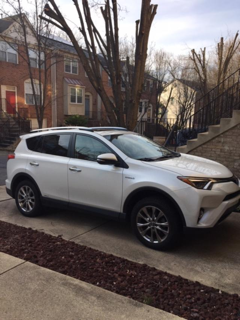
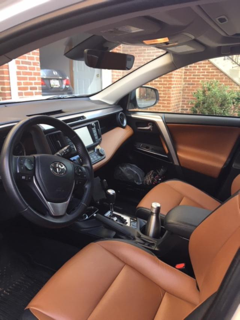
Thanks to SSTB member Connie Bevitt for sharing this member spotlight about her terrific exchange with Cindy Shay. Photos of her new car included.

Sharing knowledge and building community at the same time!

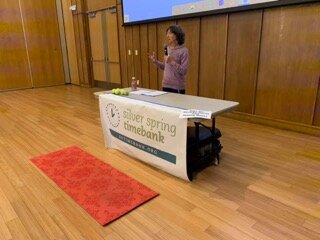
The Silver Spring Timebank hosted its 4th annual Skill Share event on Sunday, January 19 at the Silver Spring Civic Building on Veterans Plaza. The event ran from 1:00-3:00pm and attracted a wonderful crowd of curious individuals looking to learn something new for 2020.

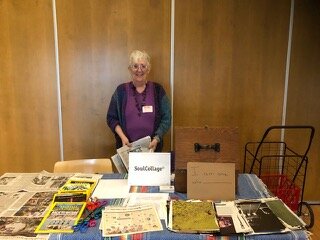
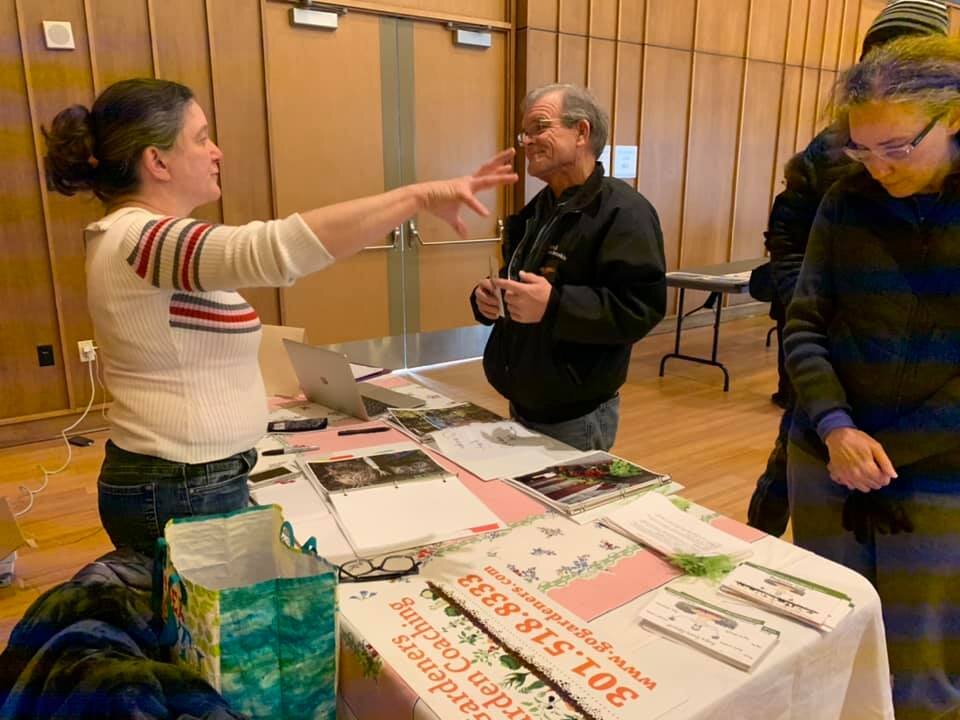
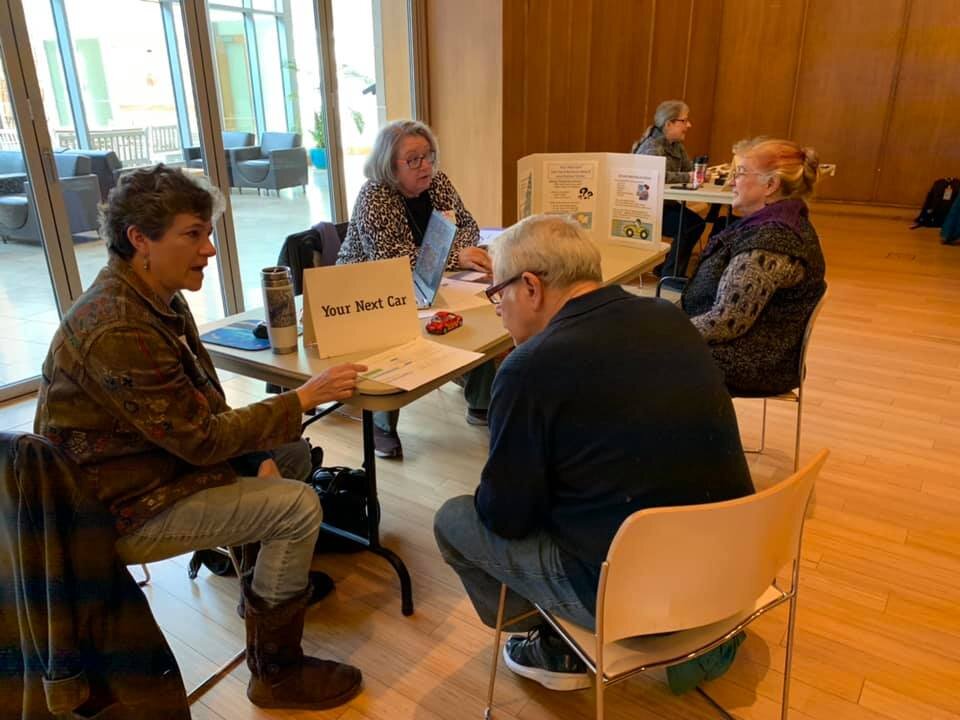
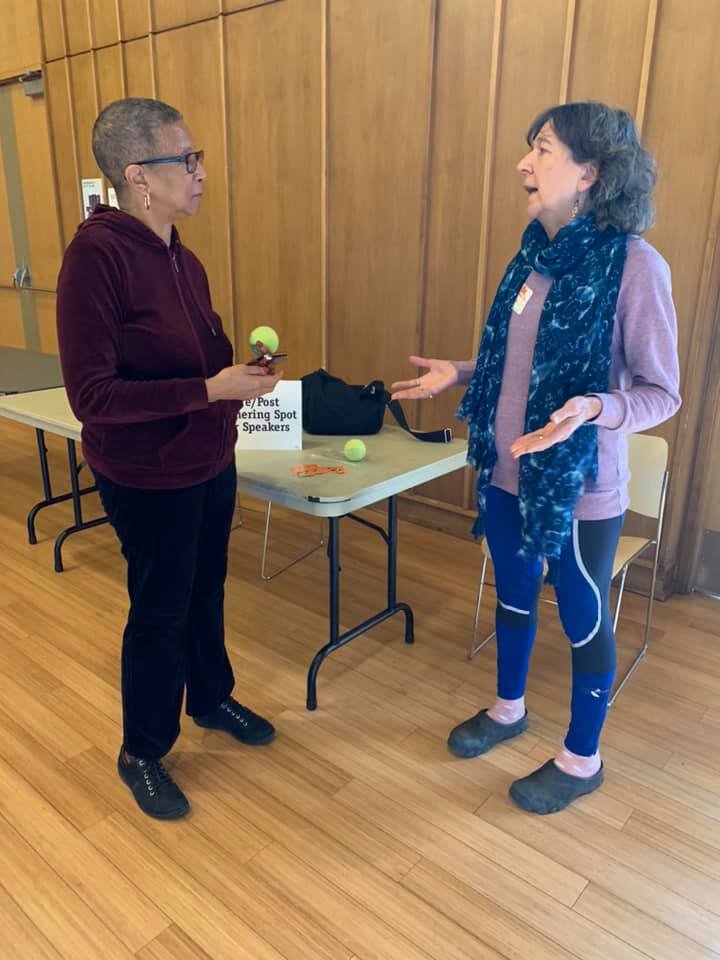
The Skill Share is an opportunity for timebank members to share their interests, expertise and passions with the community. The event is FREE and open to the public. This year it was held in the Civic Building’s Great Room, with half of the room offering 15-minute presentations by different speakers, and the other half of the room offering different Ask the Experts tables. As one attendee commented, “There’s something intrinsically interesting about the variety of themes presented at this event.”

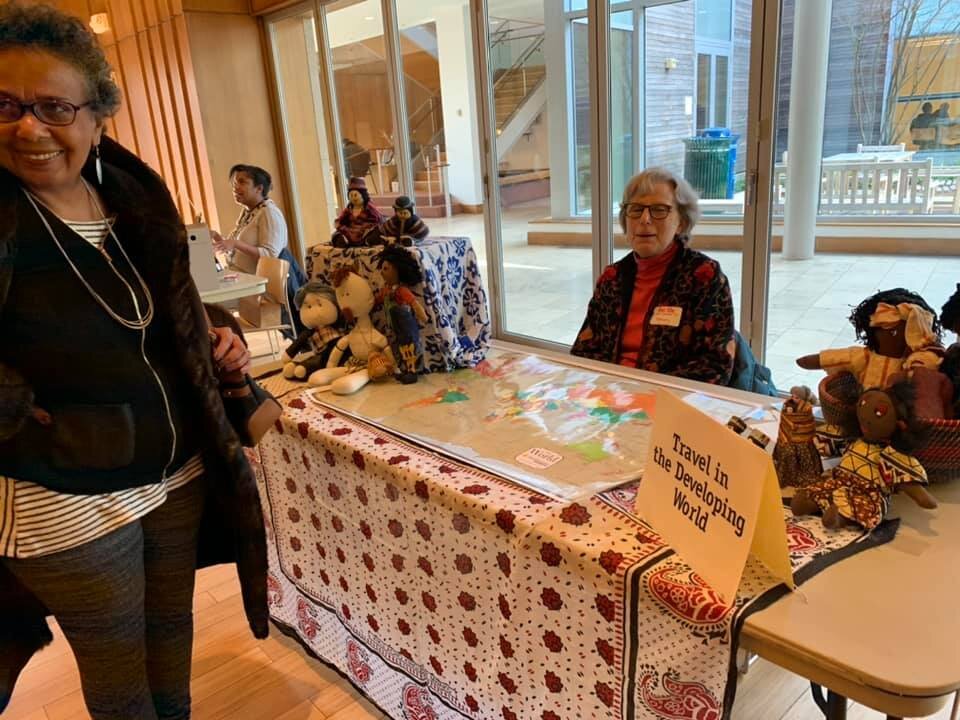
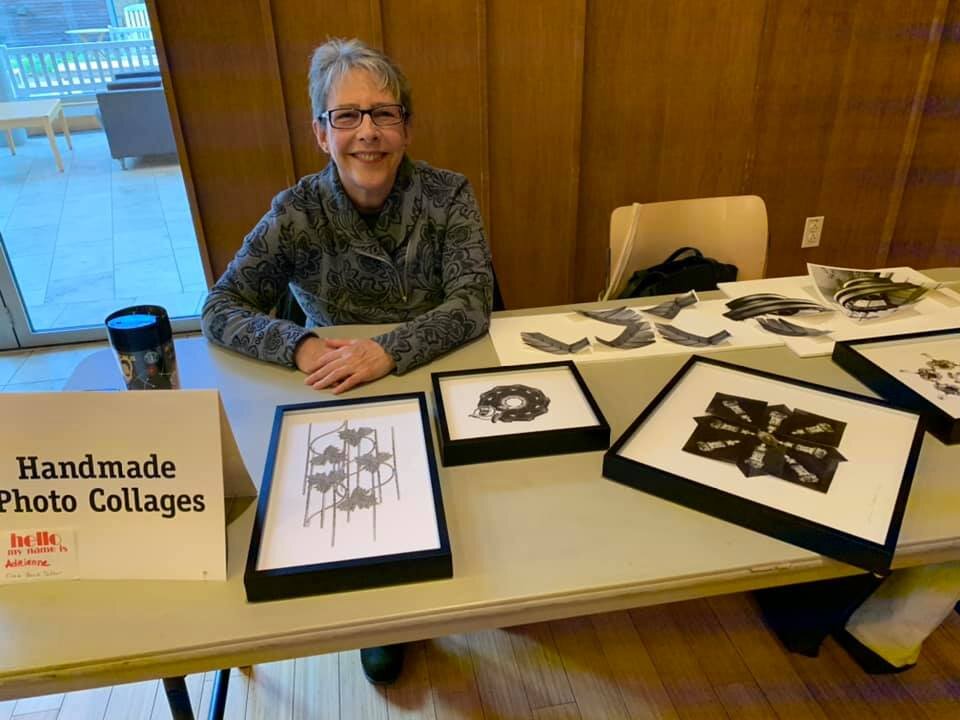
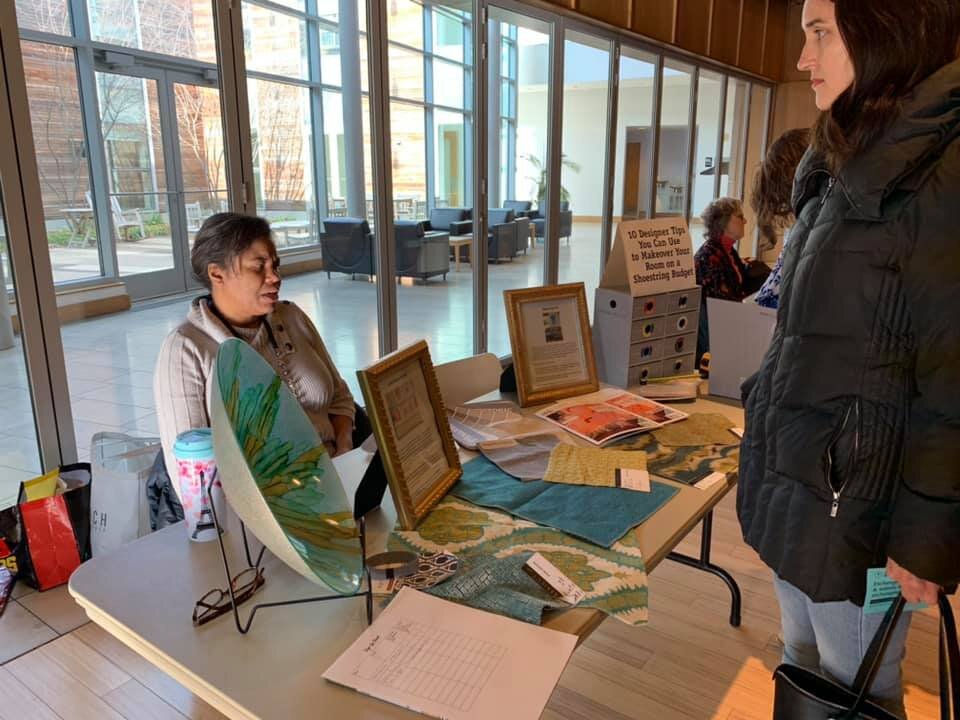
Individuals moved from table to table learning about budget-friendly ways to re-decorate, traveling in the developing world, making smart decisions about money matters, building mindfulness through gardening and more. Especially popular tables offered aura readings and tips on buying your next car.  One timebank member offered a hands-on activity for SoulCollage(R) which was described by an attendee as “almost like making your own tarot deck. It’s a fascinating project!”

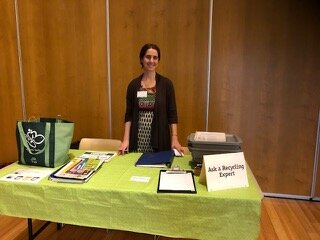
Timebank member Beth Gingold was on hand to answer questions about recycling. If there was a question she couldn’t answer, she promised to find the answer and get back to the person with the question. Her goal was to make sure people know what and how to recycle with the goal to get closer to zero waste.

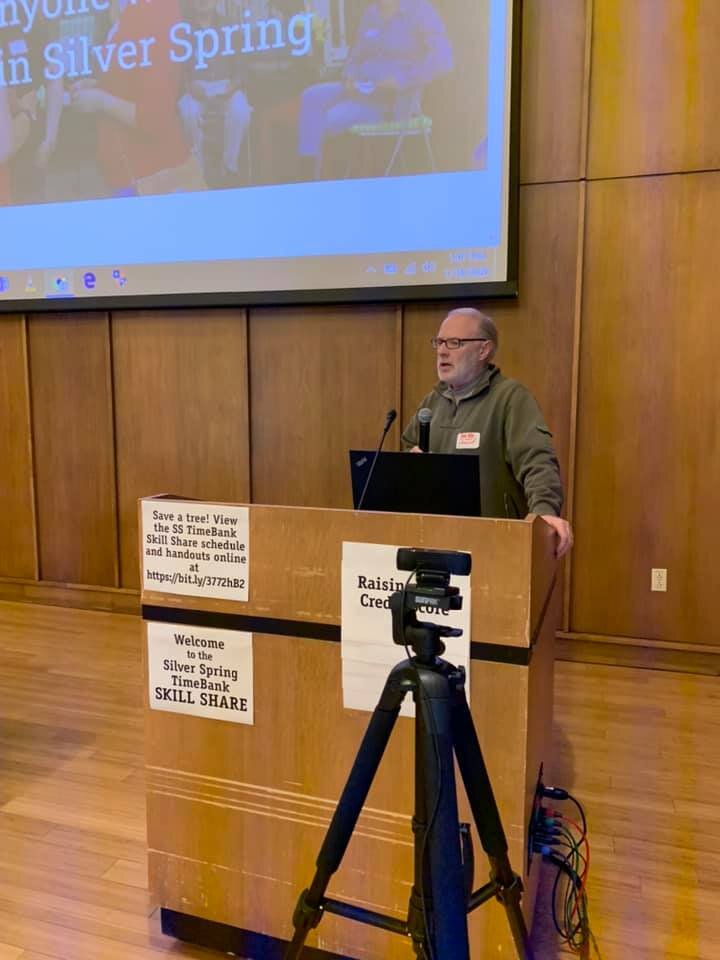
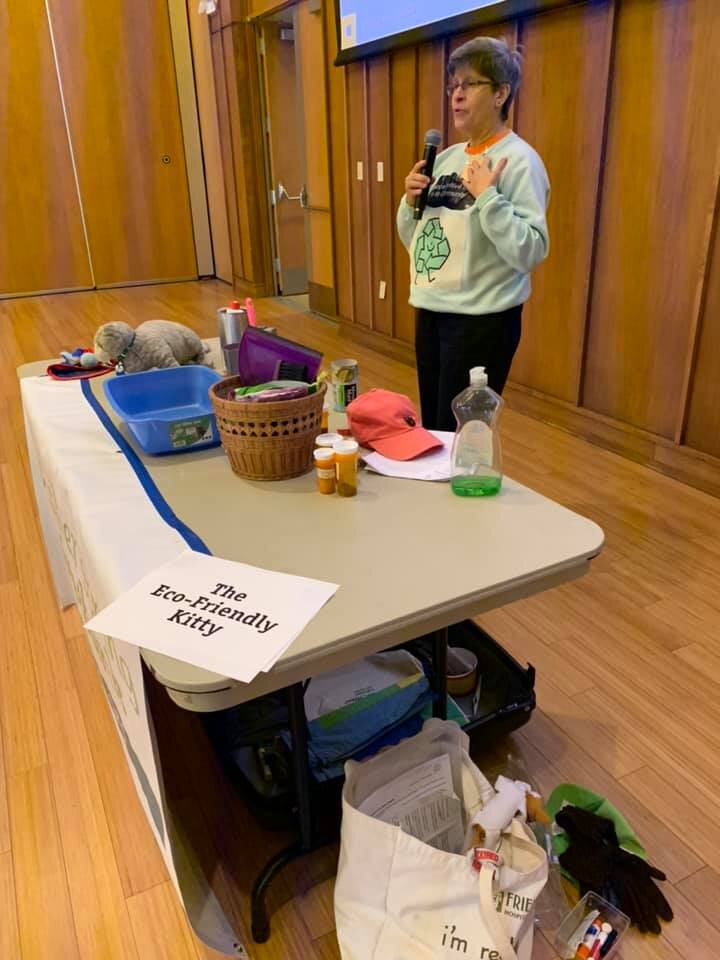
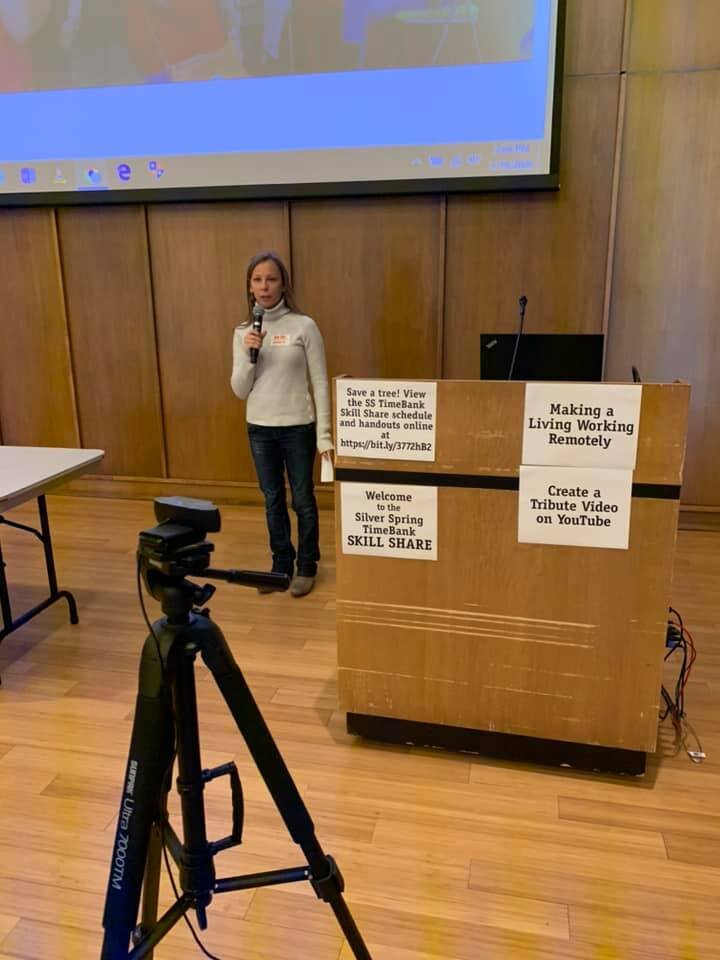
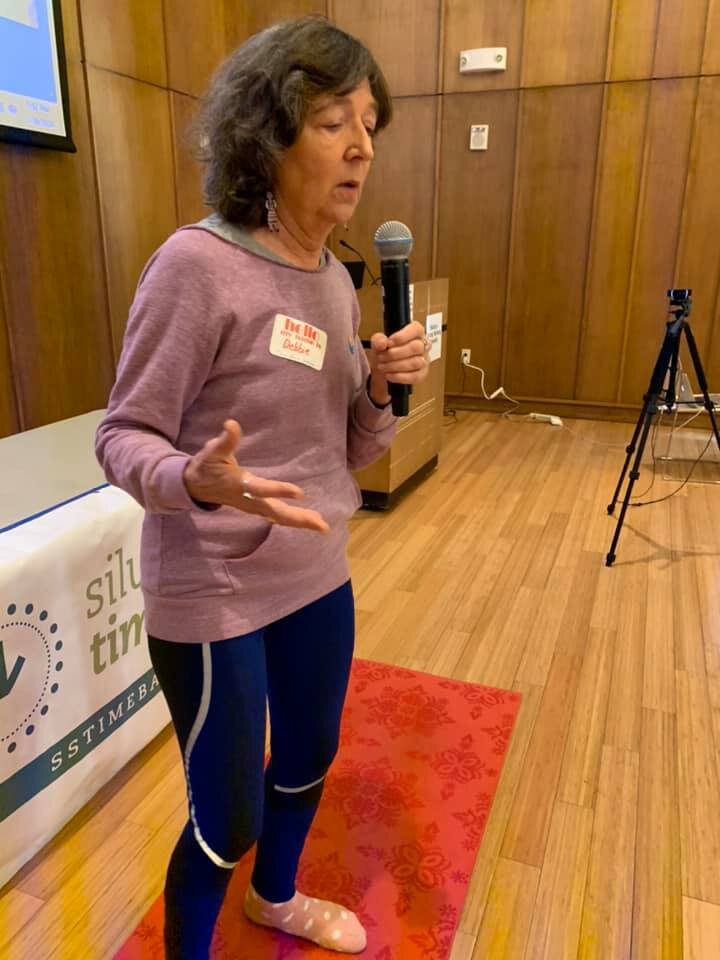
Presenters shared their expertise on yoga for healthy aging, making a living working remotely, raising your credit score, creating YouTube tribute videos and even reducing your cat’s carbon footprint. One very pleased attendee said that she "met a lot of really accomplished – and generous – people” at the event.  Another person described the Skill Share as “what community is all about.” 

Members of the Silver Spring Timebank exchange services without exchanging money. As members connect with other members to get the services they need, those connections build a sense of community which is an extra bonus of timebanking. The Silver Spring Timebank’s annual Skill Share is an opportunity to share that sense of community with others. For more information about timebanking and how to join the Silver Spring Timebank, go to www.silverspringtimebank.org .

4th Annual Skill Share is Sunday, January 19 from 1:00-3:00PM

Join the Silver Spring Timebank for its 4th annual Skill Share which showcases the unique talents of our Timebank members. It will be held at the Silver Spring Civic Center on Veterans Plaza in downtown Silver Spring. It is FREE and open to the public. Come have fun and learn something new for the New Year! Stay for an hour or even for two. Bring friends and family, and please share event details far and wide.

There will be six short talks plus a variety of exciting Q&A topics and demonstrations:

Talks include

1:00-1:05 PM - Gather Folks/ Announcements

1:05-1:20 PM - Raising Your Credit Score - Christopher Cruise

1:25-1:40 PM - The Eco-Friendly Kitty: How to Reduce Your Cat's Carbon Footprint  - Tanya DeKona

1:45-2:00 PM - Yoga for Healthy Aging and Strong Bones - Debbie Helfeld

2:05-2:20 PM - Making a Living Working Remotely - Michaela Pacesova

2:25-2:40 PM - Create a Tribute Video on YouTube - Phil Shapiro

2:45-3:00 PM - Making Effective Infographics - Natasha Isler  

Q&A topics and demonstrations available anytime between 1:00 - 3:00 PM

Basic Bike Maintenance

- 10 Budget-friendly Ways to Give Your Room a Facelift

- Helping the Elderly: Ask the Social Worker

- Career Counseling

- Handmade Photo Collages

- Travel in the Developing World

- Mindfulness through Gardening 

- Smart Money Matters

- SoulCollage(R)

- Your Next Car

- Aura Readings

- Ask a Recycling Expert

- Silver Spring Timebank Help Desk: open for all who have questions about timebanking or using the hOurworld software for exchanges. Timebank applicants can receive new member activation at the Skill Share.

We are a GREEN event and want to eliminate printed documents, so here is a file with the event handouts - keep checking it as we will be updated it with new materials as our speakers and tablers submit them.

The Silver Spring Civic Center at Veterans Plaza is on Ellsworth Drive between Fenton St. and Cedar St. 

*By metro:  Eight-minute walk north from the Silver Spring Metro Station. 

*By bus:   Metrobus F4 and Ride-On #16, #17 and #20 (along Fenton St.).  Metrobus J4 and Ride-On #15 and #19 (corner of Wayne Ave & Fenton St.).  Metrobus Z6 and Z8 and Ride-On #9 and #12 (along Colesville Rd.). Metrobus Q and Y lines (along Georgia Ave and Wayne Ave.).

*By car: Free weekend parking at the Town Square Garage on Ellsworth Drive. (Do NOT park in the Whole Foods lot.)

For videos about the Silver Spring Timebank and past Skill Shares, see our website. And, watch our FB event page  and Twitter page for updates about this event. We look forward to seeing you there! 

SSTB_SkillShare2020_color.jpg

Timebank Inter-trading: Go Global!

The hOurworld software allows us to do “Inter-trading” (a.k.a. “Global”) exchanges with members of Timebanks all over the world!  Inter-trading widens your audience for your local offers and requests. Inter-trading is also a great way to earn hours if your special talents aren't in demand locally – or to receive services that aren’t offered locally. In addition, inter-trading helps you connect with the broader Timebanking community; it brings the world a little closer.

What services can be exchanged through Inter-trading?

Inter-trading is most often used for services (1) fulfilled from afar and (2) in the areas of language, writing/editing/clerical, tutoring/counseling, tech, or other specialized knowledge areas (by email, phone, or skype).

But with a little creativity, there are untold possibilities! 

Examples of “Outside-the-box” Inter-trading Offers and Requests:

·       Join me for a foraging tour of New England: I’ll show you edible plants you’d normally overlook. 

·       Would you be our tour guide in Auckland NZ?

·       Seeking home-made vegan meals in these cities on these dates. (Driving cross-country.)

·       Help with the oil spill cleanup in the Gulf! I can’t get there, myself, but I can give you hours.

·       Send me a photo of your home. I’ll send you a pen and ink drawing of it.

·       Is there a book lover near Missoula MT who can visit my grandmother once a week? She likes historical fiction, and she’d love to chat.

Not all offers or requests are appropriate for Inter-trading at a distance, however. For example, an offer to deliver groceries is not likely to be appreciated by members of a Timebank 3000 miles away. So please consider that when posting.

Which Timebanks participate?

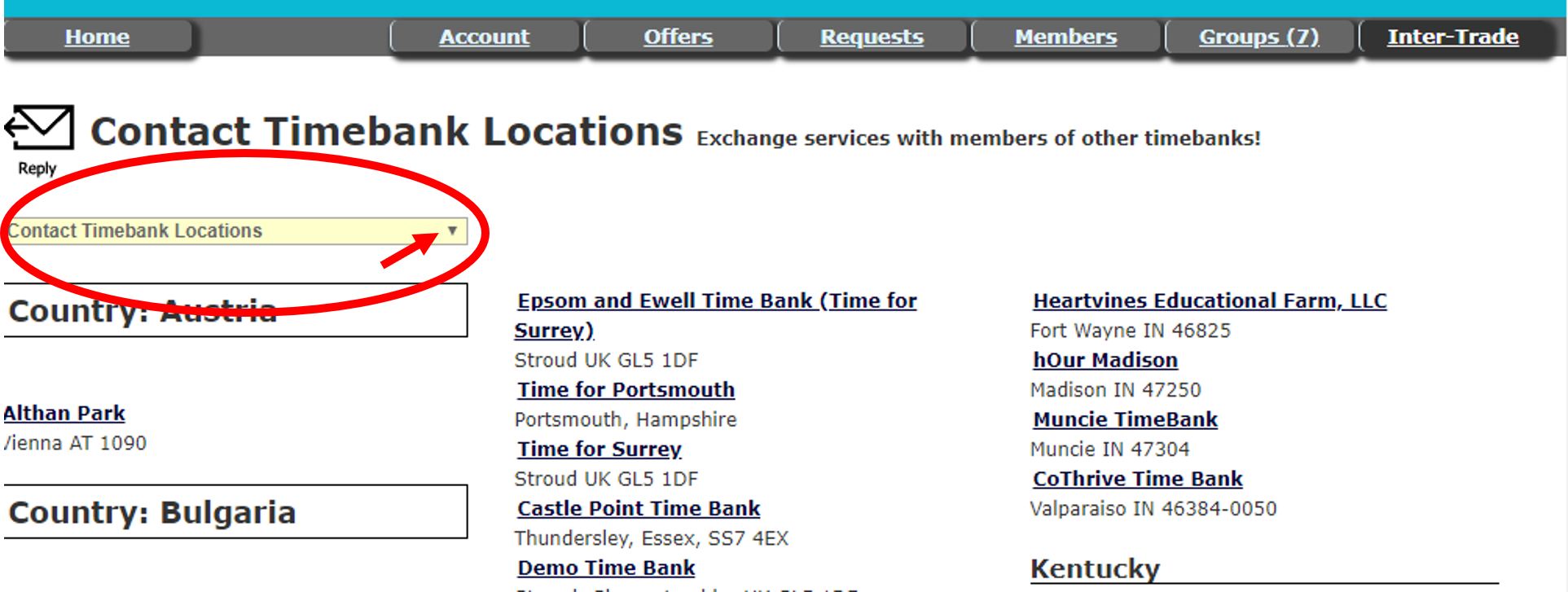
Not every Timebank participates in Inter-trading. Each local Timebank has the option to turn the Inter-trade feature on or off for its entire membership. In addition, there are many Timebanks that use software other than hOurworld, and we cannot currently do exchanges with their members. You can view the list of Timebanks doing Inter-trading on hOurworld by clicking on the Inter-trade tab and then “Contact Timebank Locations” in the drop-down menu under “Explore All Offers."

Where can I find Inter-trade listings?

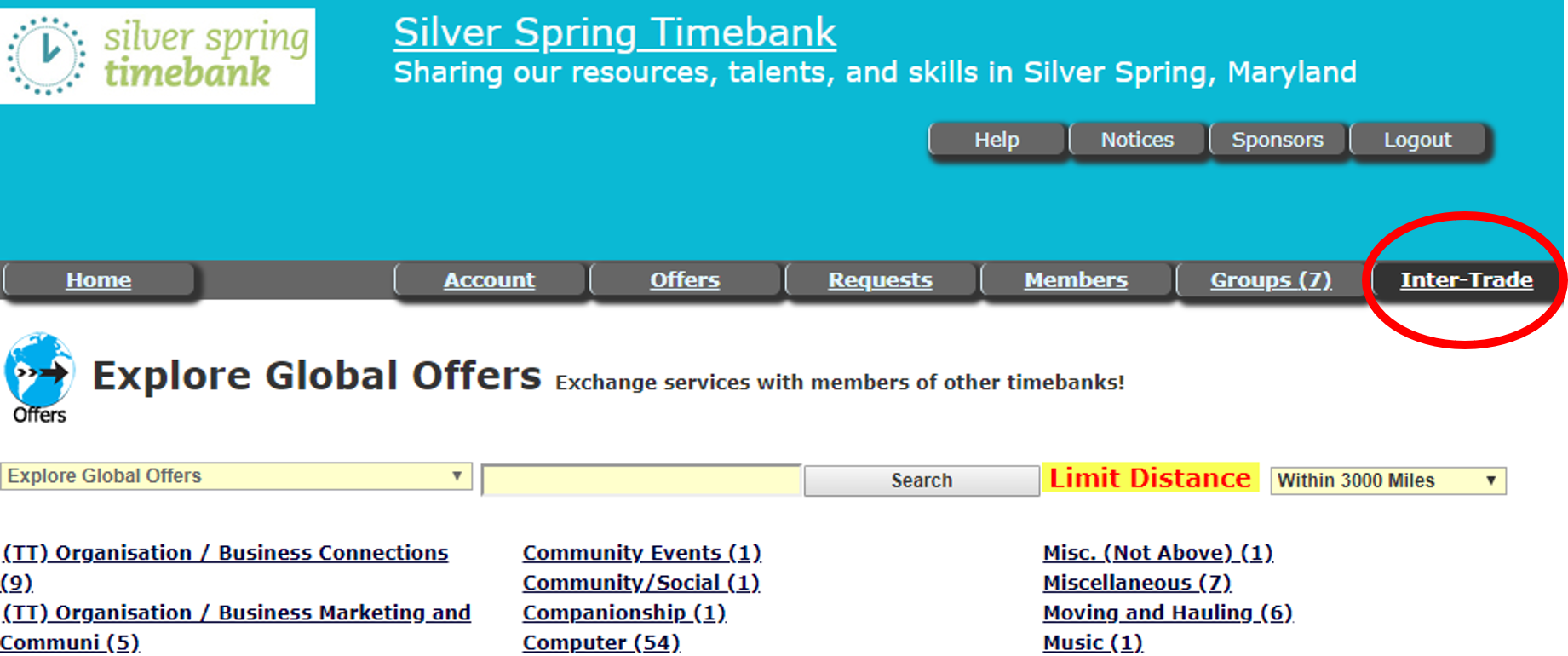
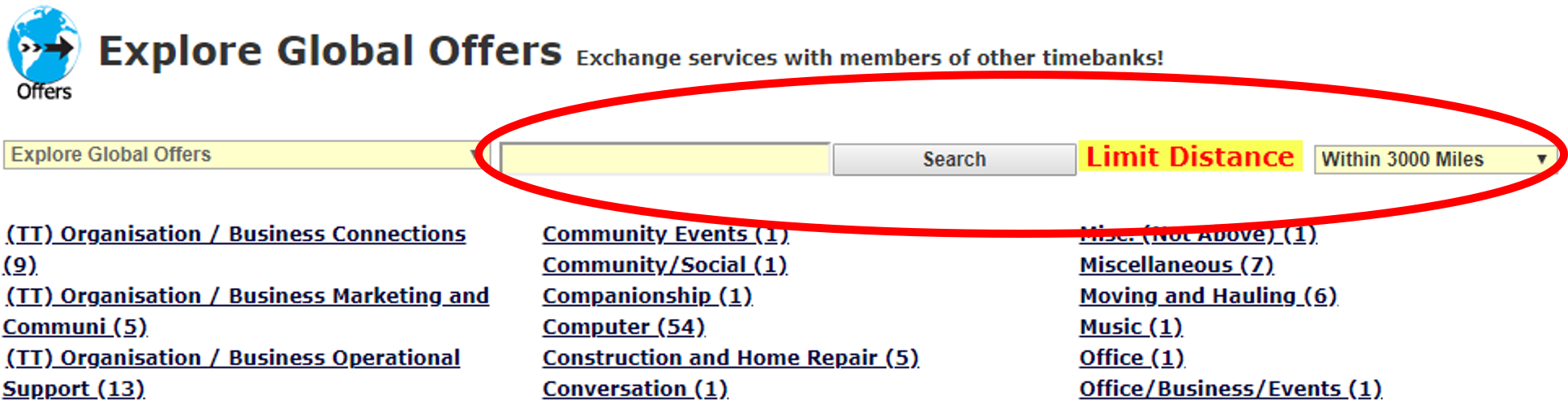
On hOurworld:  Inter-trade (Global) listings are not interspersed with Local Timebank listings. After logging into hOurworld, click on the Inter-trade tab to see the categories of Global offers and requests. You may also use the search box. However, be aware that the search box on the Inter-trade page does not connect to Local listings. And the search box for your Local hOurworld page does not bring up Inter-trading offers and requests. Local and Global posts are separate with one exception: A post marked as Global from a member of your Local Timebank will also show up as a Local post.

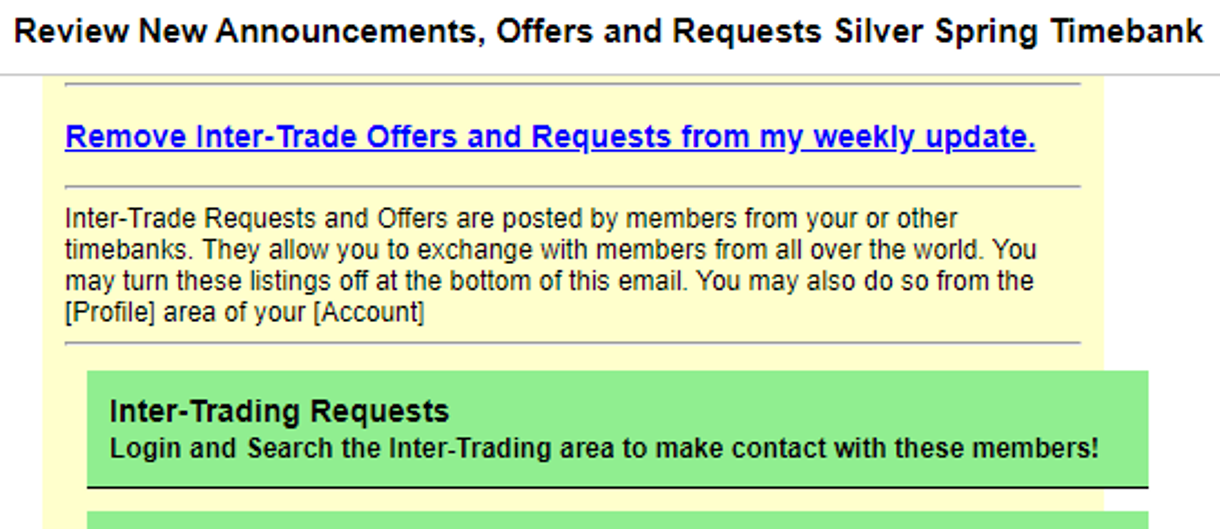
In the weekly email update: You may also find Inter-trade listings in a separate category at the bottom of the Monday morning email update. If you prefer, you have the option, as an individual, to remove them by clicking on a link in that email (“Remove Inter-trade Offers and Requests from my weekly update”).

How do I post Inter-trade offers and requests?

1.     First, decide which individual offers or requests you would like to share beyond your local Timebank.

2.     Begin your post the usual way, by clicking on “Add New Offer” or “Add New Request.”

3.     Select the category and service, write the description, and set an expiration date.

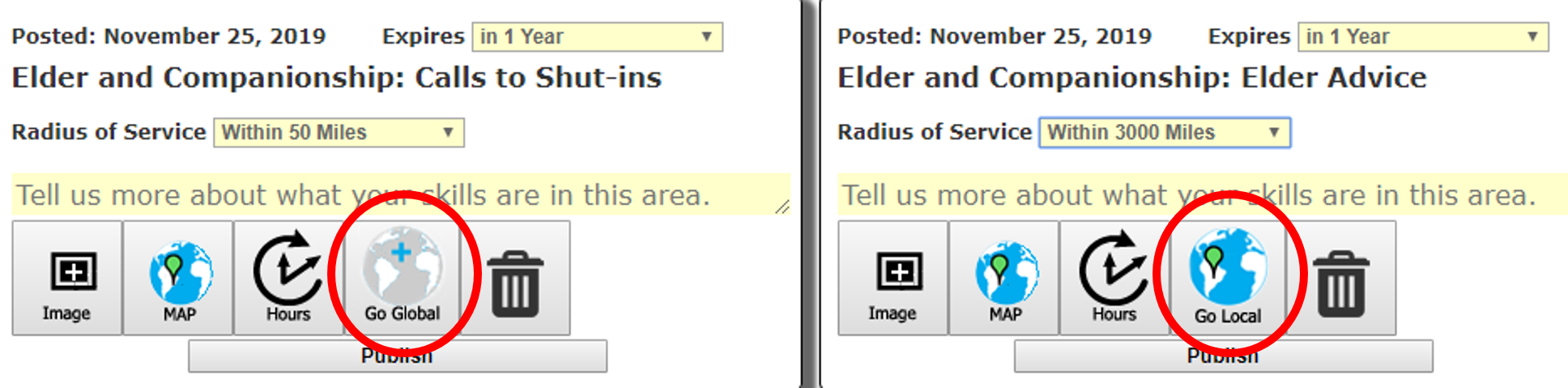
4.     Click the “Go Global” button at the bottom of the post. (This button then becomes a “Go Local” button, allowing you to make that post viewable only to local members again if you wish.)

5.     Finally, set the radius of service/distance limit. (Once the post is marked as Global, you will see additional options for radius of service.)

Please note: 

·       A Global post can still have a relatively small radius of service, allowing only members of your own and nearby Timebanks to view it. Consider this option when you need to meet someone in person for an exchange, but no one in your local Timebank can provide the service.

·       Even if you set a high distance limit – or no limit – your post will still only be seen by local Timebank members unless you have clicked the “Go Global” button.

How is Inter-trading different from exchanging services with members of my own timebank?

1. The most obvious difference is that your Global exchange partner may live in a different time zone, and that may make scheduling a challenge. Many exchanges don’t require real-time communication though.

2. There may be language or cultural differences (though that can happen with local exchanges, too). Don’t hesitate to ask clarifying questions or get help with translation.

3. There is less information available to you through a Global listing than through a Local listing to help you decide if you want to do an exchange with someone.

What you can see:  The name of the person who posted the Inter-trade along with the person's photo, the Timebank’s name and location, the number of exchanges the person has completed, the number as the provider of the service, the number of exchange partners, and the percentage who were satisfied with the service. You can also see all the details of the offer or request.

What you can’t see: The bio of the person who posted, what Timebank groups the person has joined, the person’s other (non-Inter-trade) offers and requests, the dates of most recent login and exchange, and how often the person replies when emailed. 

The bio and the person’s other offers and requests paint a fuller picture of the person than only one post can. The dates of last activity and the reply rate may indicate how likely it is that the person will respond. Depending on the nature of the exchange, not having this information may influence your decision to take part.

Note: If you were the one to post the Inter-trade offer or request, you may see even less information about people who respond to you.

4. Local Timebanks have social events and other ways to meet people that may help you decide if you want to do exchanges with them. You may also know other people in your local Timebank that you can ask about potential exchange partners. For Inter-trades, you won’t have this benefit. However, just as with local exchanges, you may certainly ask in advance for references, samples of the person's work, or a phone interview. You will also learn more about the person from advance discussion of details and expectations.

We list some of the differences between Inter-trades and local exchanges not to discourage you from taking part but to encourage you to ask questions and not make assumptions. As many Timebank members will tell you, Inter-trading can be satisfying and even exciting.

 How are Inter-trading hours recorded?

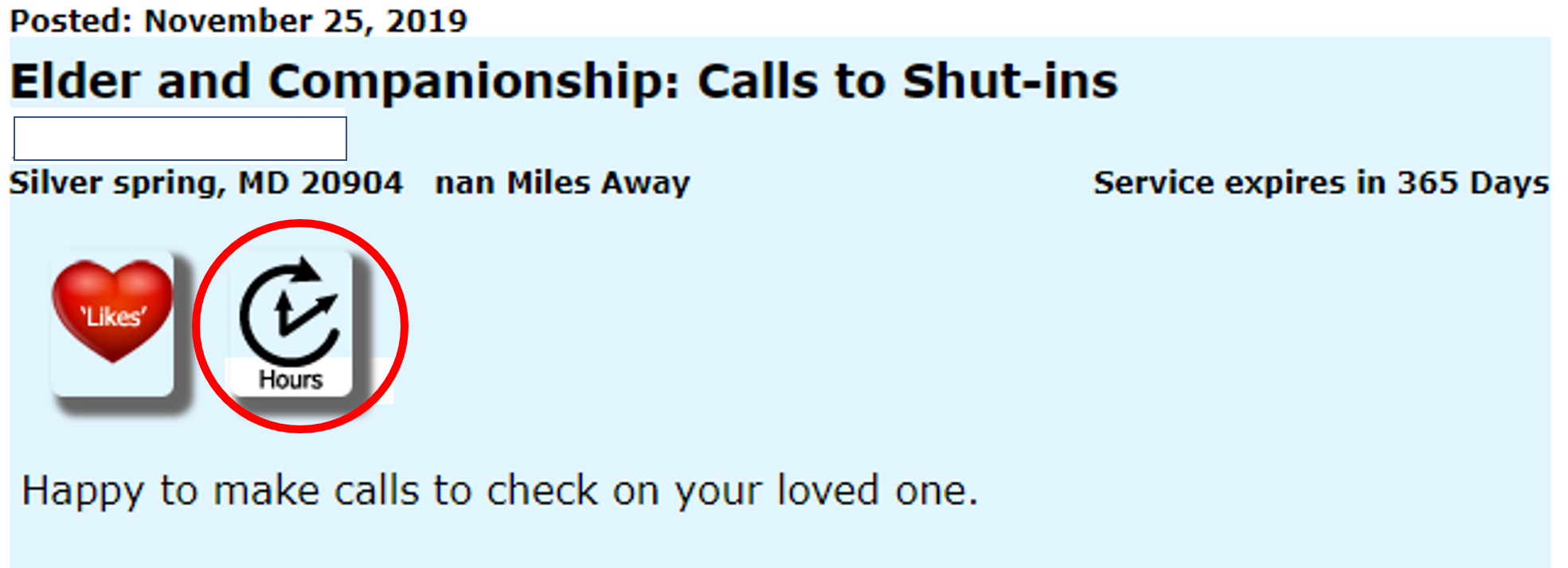
For a local exchange, you may record hours either through the Hours tab toward the top of the homepage or through the Hours button at the bottom of the individual post.

For Inter-trading, though, you may only use the Hours button at the bottom of the post. For this reason – even if the exchange is complete – the post should not be removed until the hours are recorded.

For a local exchange, the default is that the provider of the service records the hours.

For Inter-trading, the person responding to the post is the one to record the hours: 

·         If the post was an offer, the person who received the service must record the hours.

·         If the post was a request, the person who provided the service must record the hours.  

If you want to refer to past Inter-trades on your Hours Statement in your account, be aware that

·         Your exchange partner will always be listed as hOurworld.

·         All services will be labeled “Account Management: Misc Service: Inter-Trading."

·         It is only in the Comments field that the actual category and service will be listed. The name of your exchange partner should also appear in the Comments field, and you may add other notes about the exchange.

If you want to try your hand at Inter-trading but have questions, please reach out to your Member Mentor. We hope you enjoy connecting with the broader TImebank community!